Mac · iPhone
Neatling — Wait — where was that again?
Tens of thousands of photos. Days scattered across calendars. Notes that only ever pile up. Neatling doesn't take them off your hands — it works beside you.
Free to download · unlimited preview · macOS 15 or later
The name
neat + -ling
the small thing that tidies
Neat is the state we're after. -ling means something small. Not an agent you hand everything over to — a small thing that helps from the side. You decide what gets tidied and how; the tool only takes over the part that costs you time.
What we hold to
Tidying tools are frightening
because they rarely undo
So we fixed four rules before writing anything. However many apps there are, these don't change.
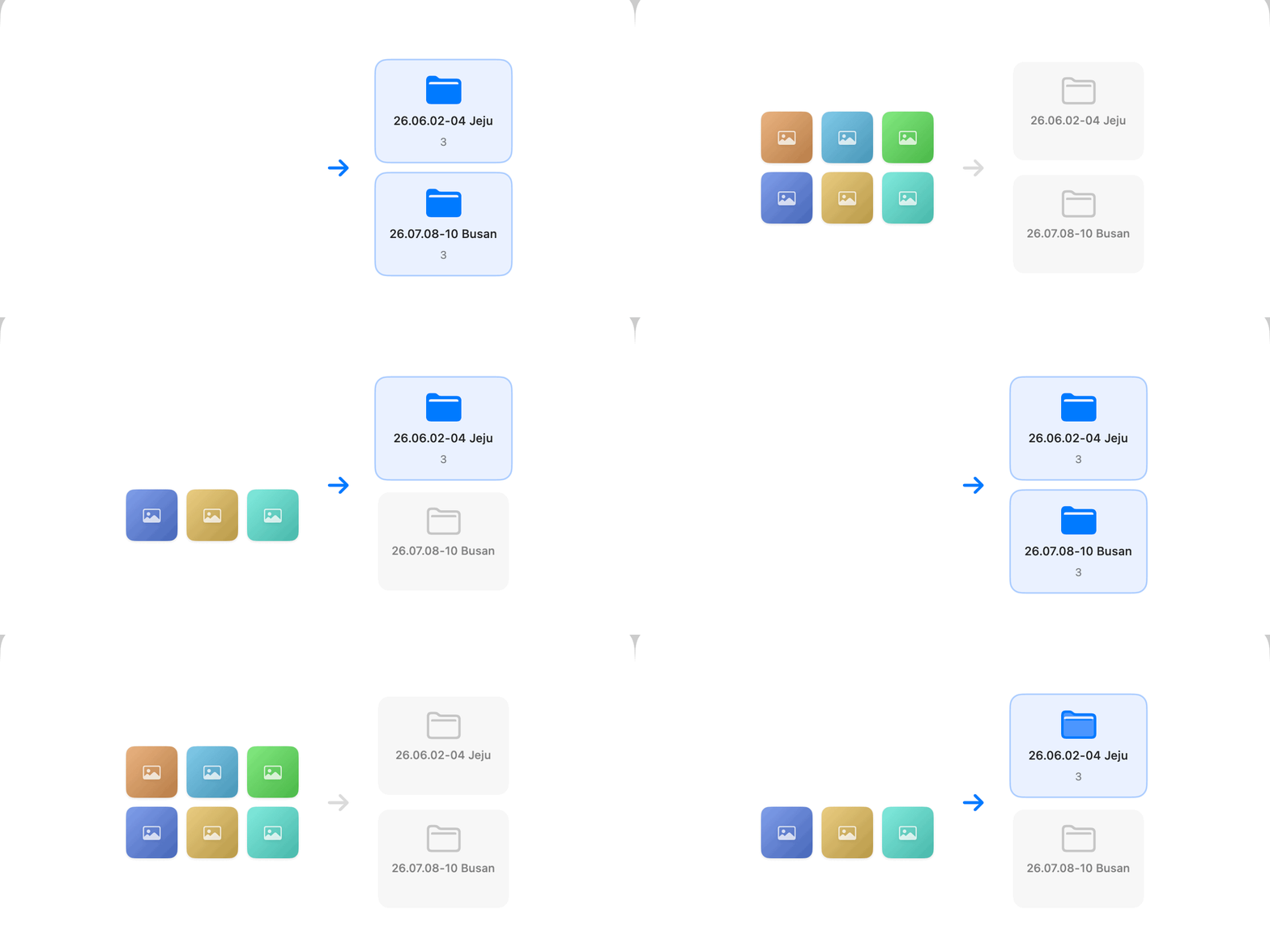
Show first, move later
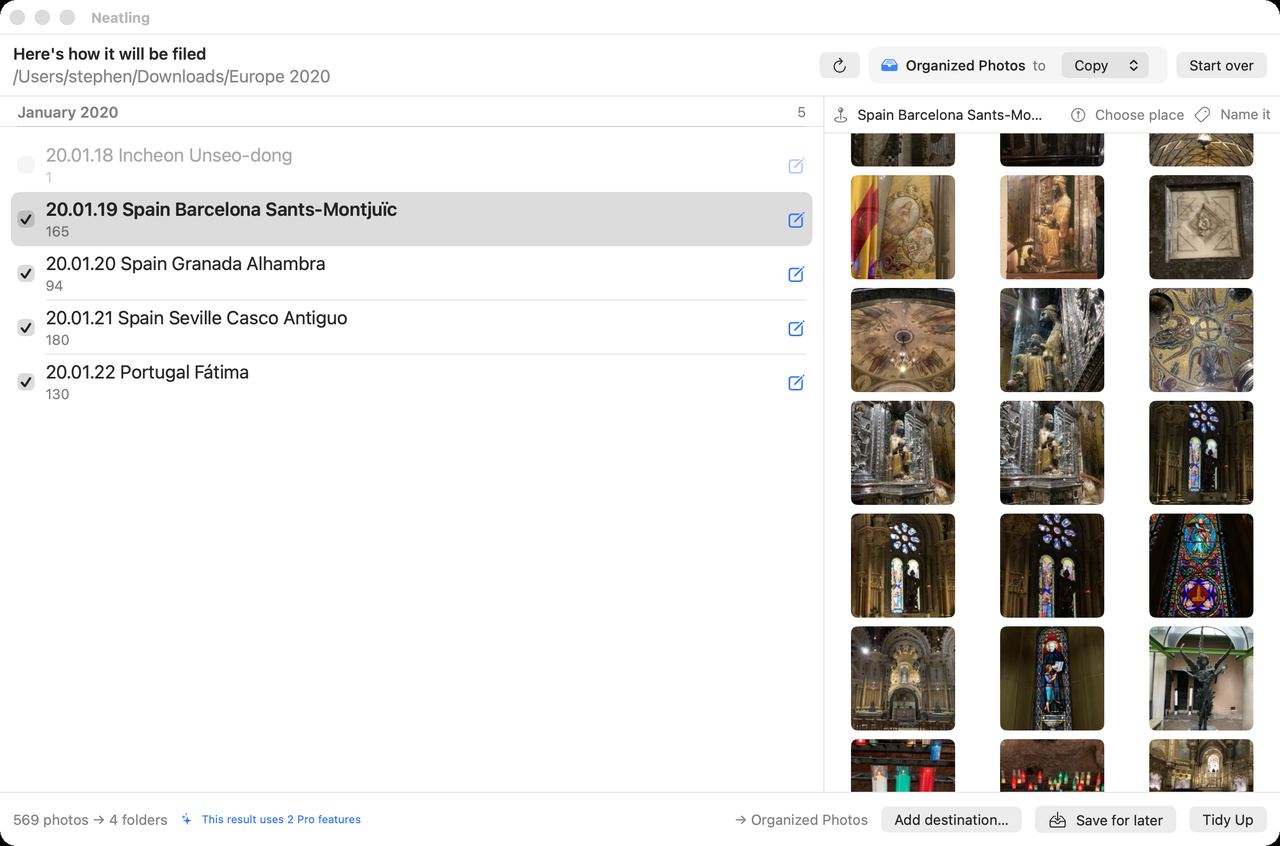
You see every folder before a single one is created. Don't like a name? Fix it right there.
Originals stay put
Tidying never deletes or overwrites what was already there. On the same disk it costs no extra space.
Undo is always free
We don't charge for the safety net. Holding your way back hostage isn't right.
Not a subscription
Buy once, done. We won't hold features hostage to invent a reason to bill you monthly.
Neatling · Mac
A trip splits itself
by where you actually went
Go by date alone and a five-day trip collapses into one folder of 764 photos, named after whichever city you shot most. Neatling splits a folder when the ground moves under the camera. Places you're always at — home, the office — never split, and their names are dropped so the trips are the ones that stand out.
More about Neatling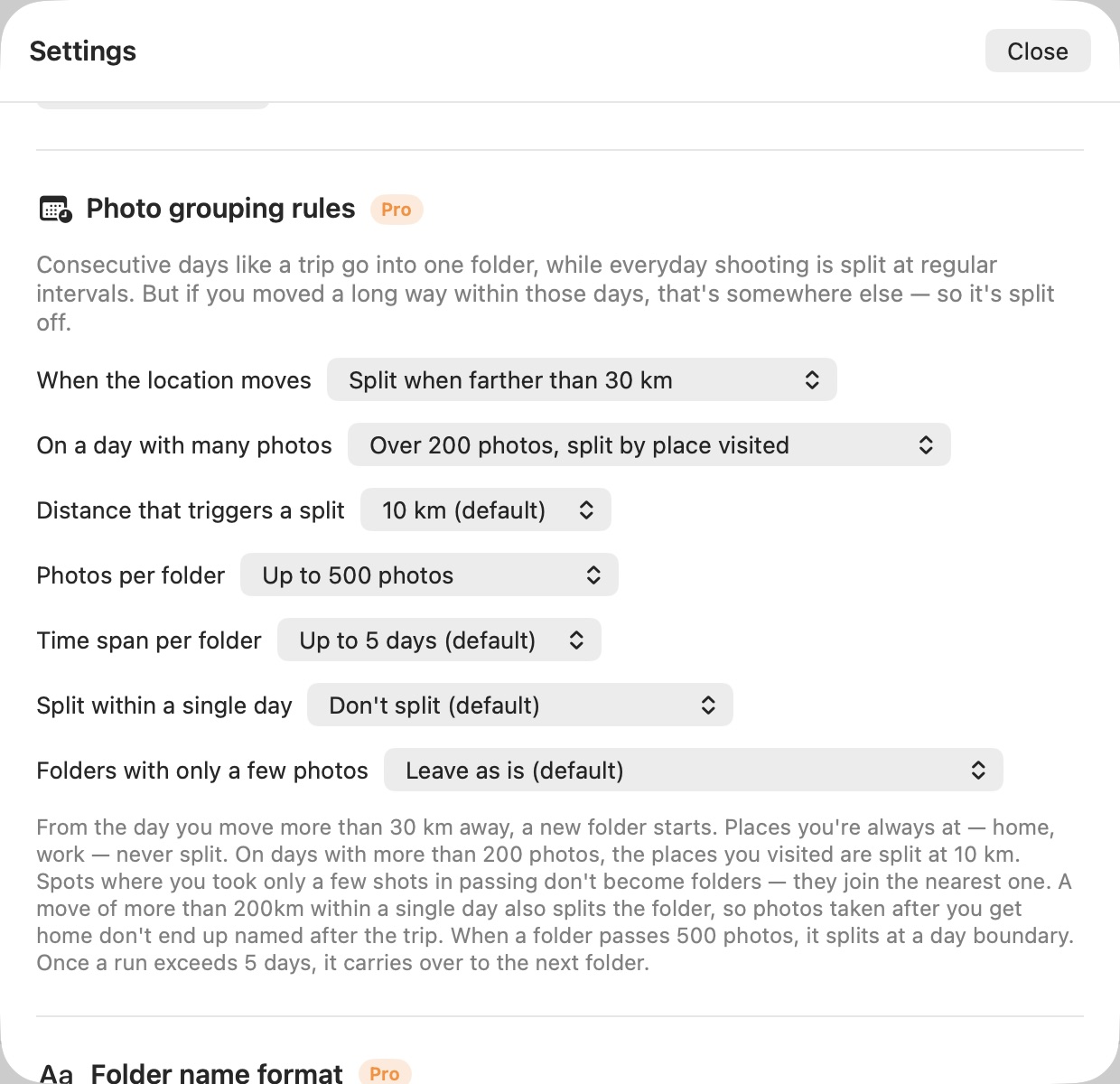
Where maps fall short
It doesn't guess.
It helps you remember
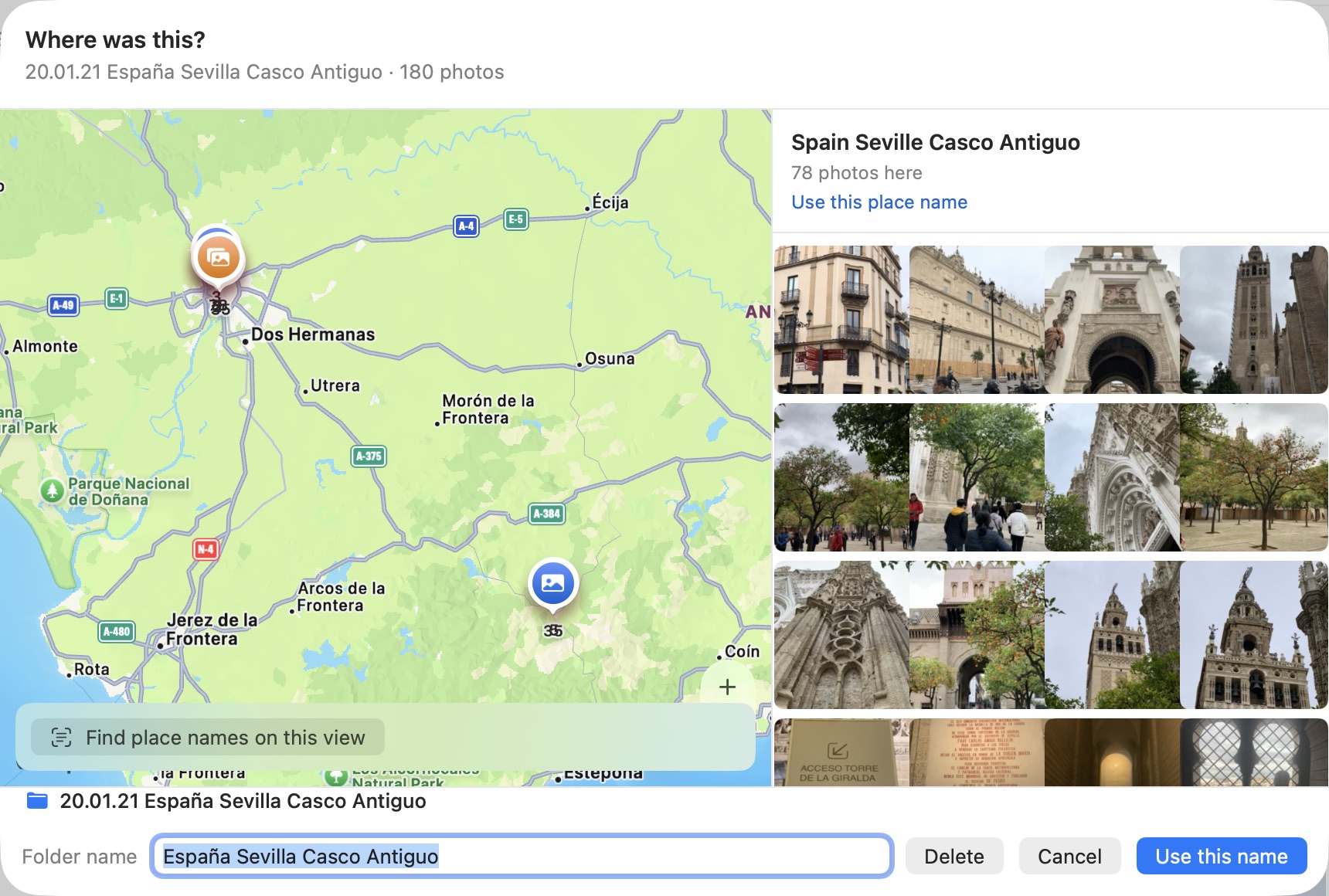
Korean law restricts exporting detailed map data, so Apple Maps carries almost no Korean landmarks. Rather than invent a name, Neatling pins the spot on a map and shows you the photos — you write the name. Write it once and it sticks as a nickname, applied automatically from then on.
What we make
Built at i Lab
Every name starting with i came out of the same small studio. Neatling was the first one to leave the house, which is how its name ended up on the door. The rest are used daily — at home or in a dental clinic — and sharpened as they're used.

Neatling
Mac App StoreTurns tens of thousands of stored photos into folders by capture date and place. Shows the result first, and uses hard links so it costs no extra disk space.
More about it →
i Day
In progressA calendar that uses Google Calendar itself as its store. Hours read as numbers; minutes fill like a clock face.

i Note
In progressThrow a thought at it and an AI files it away with a title and a category already attached.
i Link
In progressPick one folder on your PC, flip the switch, and a QR code appears. Scan it and that folder opens. Read-only, and gone the moment you switch it off.
i Smile
Used in a clinicSorts and aligns the nine standard orthodontic record photos into a single board. Everything stays on the clinic's own computer.
i Ortho
In progressLogs daily myofunctional exercises and reflects them back, so missed days show up before they stack.
See how it would land, before it moves
The preview is unlimited. Drop in 30,000 photos and you'll see every folder it would make. Tidy only if you like what you see.
One-time purchase · not a subscription · English and Japanese planned